Skip to content
EveryLoading
  • About EveryLoading
  • User manual
  • FAQ
  • Free tools
Integrations
  • Road transport
  • Sea freight
  • Air cargo
  • Manufacturing
  • Palletizing
  • Retail and distribution
BlogContact
Log in
Create free account

About

  • About EveryLoading
  • User manual
  • FAQ

Use cases

  • Road transport
  • Sea freight
  • Air cargo
  • Manufacturing
  • Palletizing
  • Retail and distribution

Free tools

  • Loading meter calculator
  • CBM calculator
  • Pallet fit calculator
  • Container size calculator
  • All free tools
IntegrationsBlogContact
Create free account

Load planning for trucks, sea containers and air cargo.

Paste your packing list, pick the loading space and get a 3D loading plan your team can follow. Right in the browser.

Plan loads for

  • Road
  • Sea
  • Air
  • Pallets
Create free accountOpen the planner

Free account. No card needed.

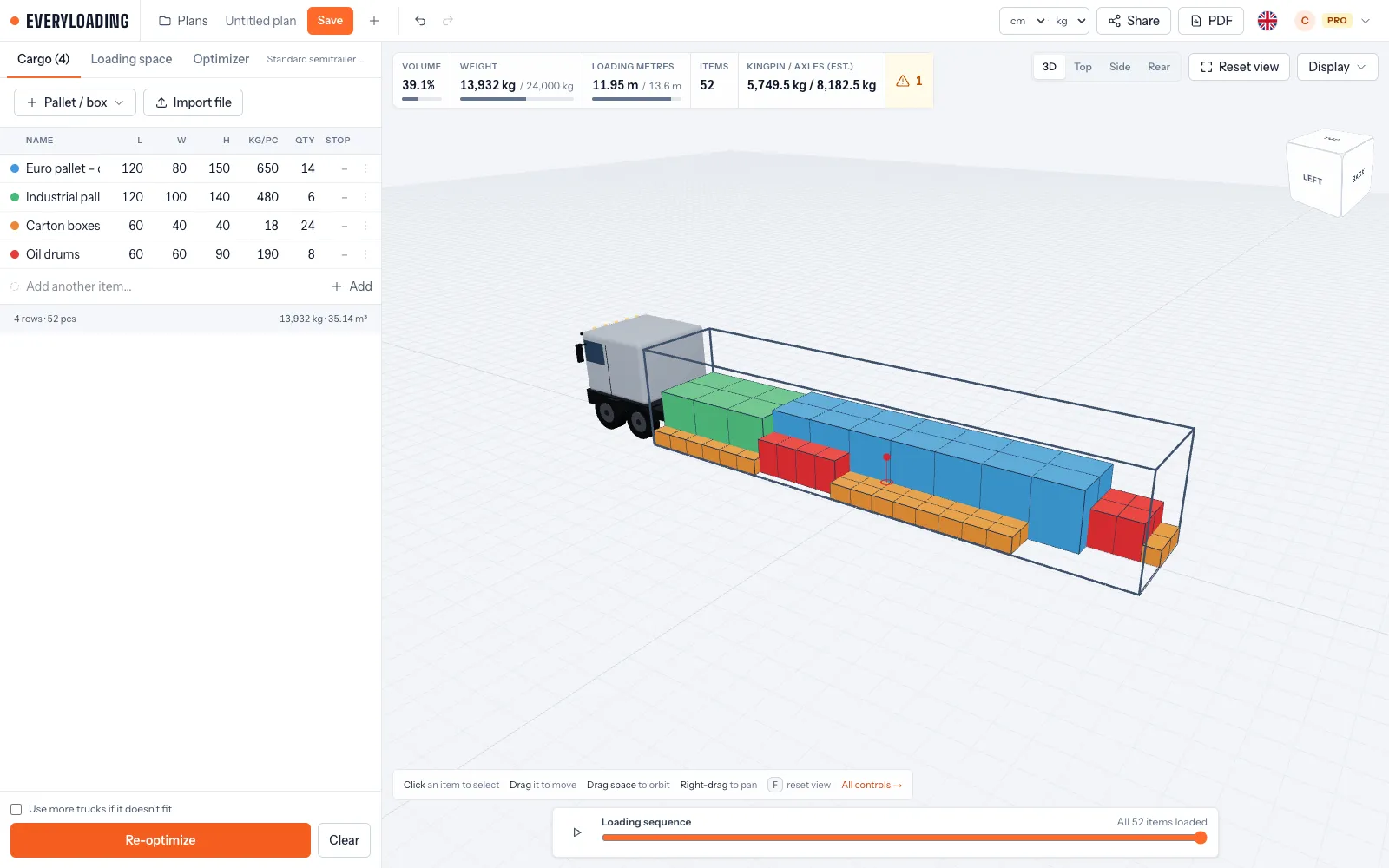
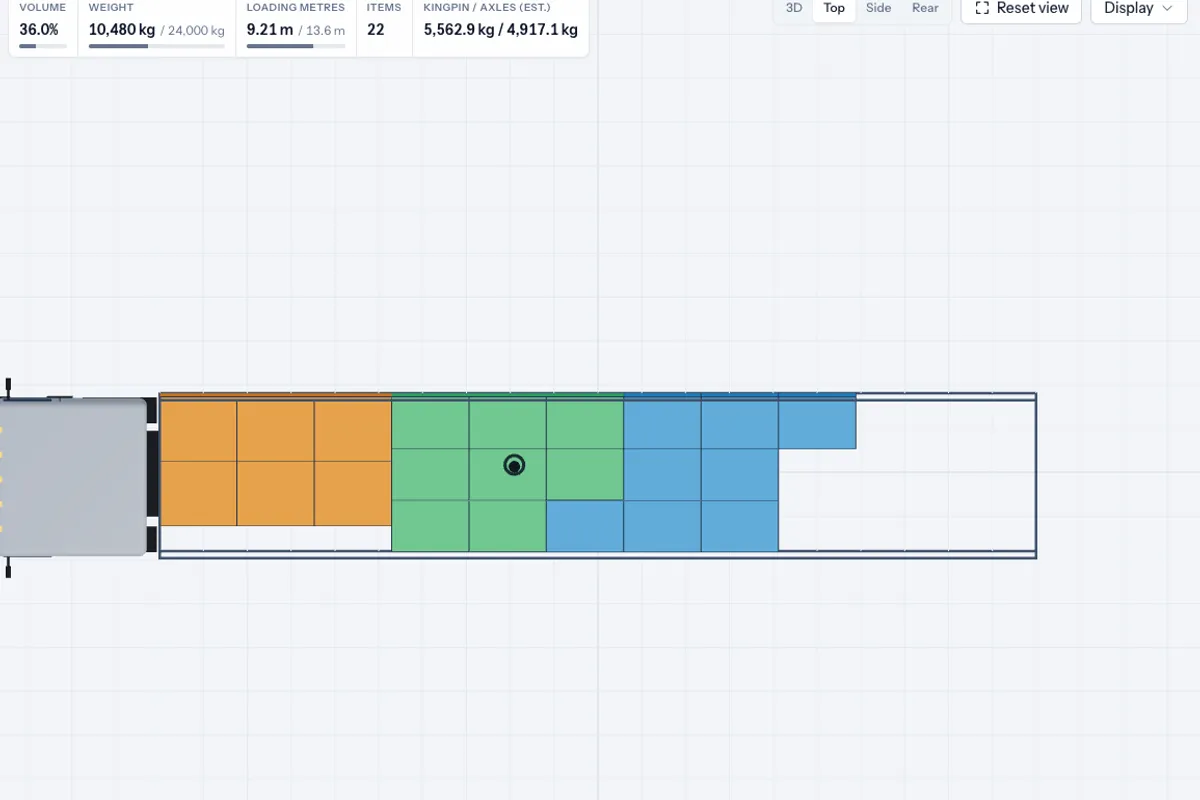
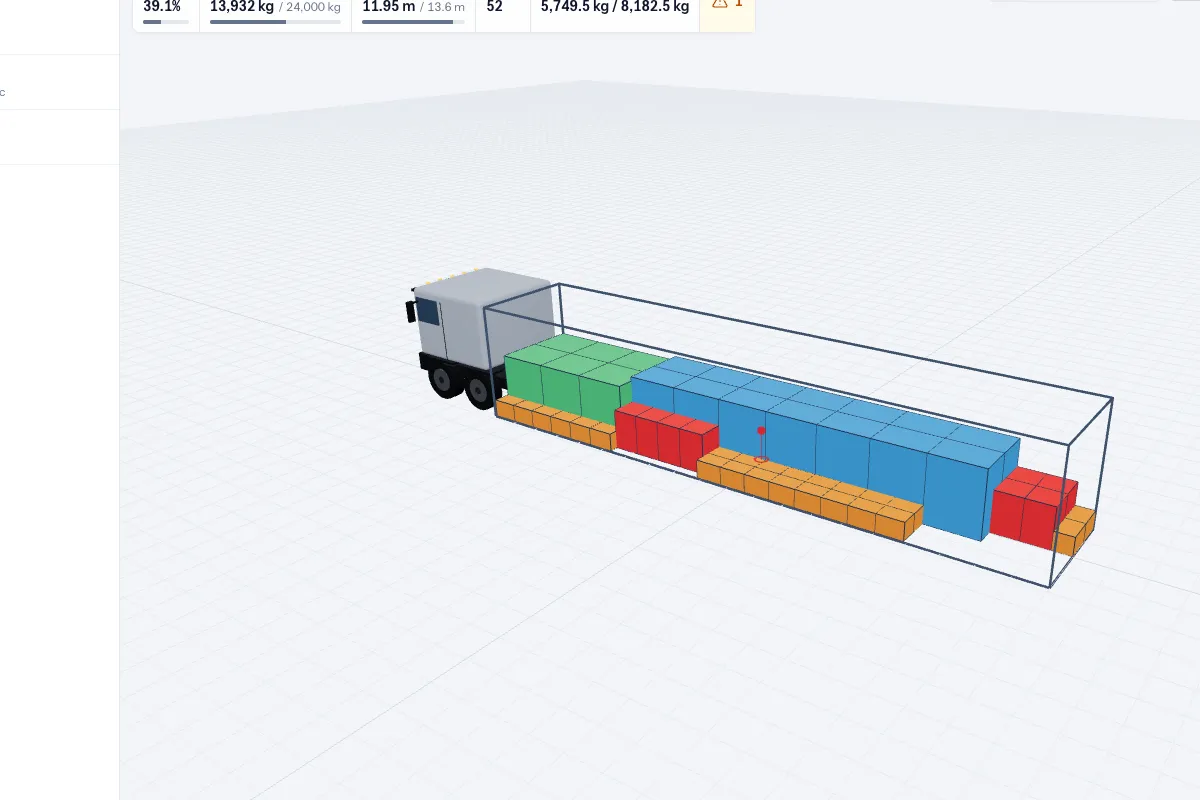
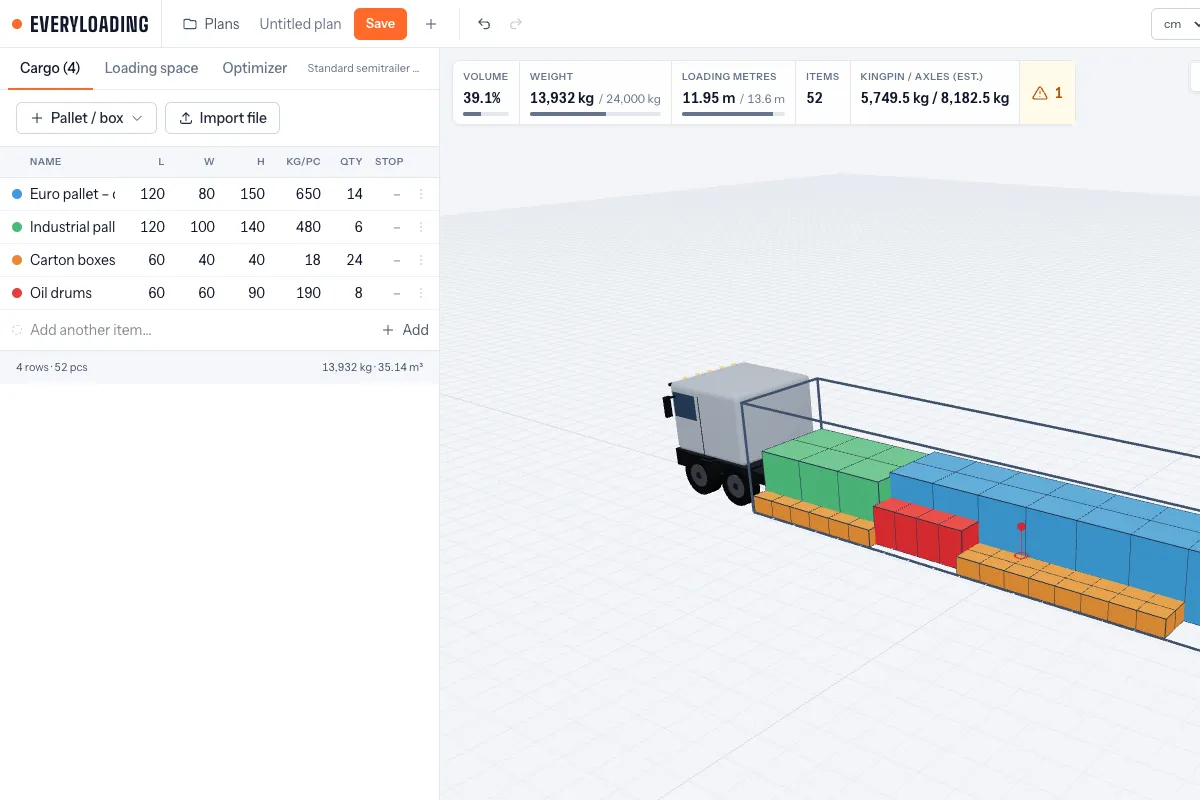
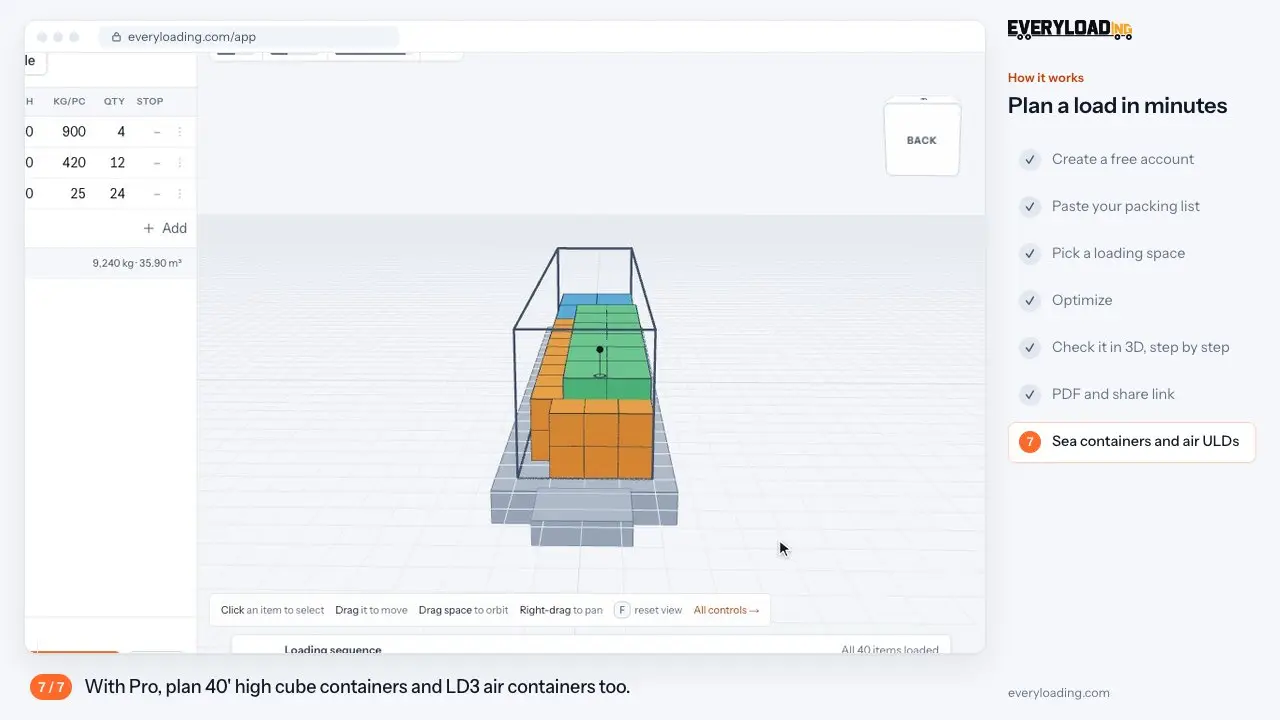
EveryLoading demo: paste a packing list, pick a loading space, optimize and check the load in 3D

Volume used

86%

Axle loads

OK

Loading metres

13.2 m

26 loading spaces built in

Trailers, trucks, sea containers, air ULDs and pallets with real inside dimensions. Or enter your own size.

  • Van420 × 220 × 220 cm
  • Van490 × 220 × 230 cm
  • Solo truck401 × 241 × 280 cm
  • Van590 × 230 × 230 cm
  • Solo truck620 × 245 × 240 cm
  • Solo truck720 × 245 × 240 cm
  • Solo truck820 × 245 × 240 cm
  • Semitrailer1360 × 245 × 270 cm
  • Truck and trailer set765 × 240 × 270 cm
  • Mega semitrailer1360 × 250 × 300 cm
  • Truck and trailer set775 × 240 × 305 cm
  • 20' reefer container545 × 228 × 226 cm
  • 20' container590 × 237 × 239 cm
  • 40' reefer container1149 × 227 × 220 cm
  • 40' high cube reefer1149 × 229 × 250 cm
  • 40' container1203 × 237 × 239 cm
  • 40' high cube container1203 × 237 × 269 cm
  • 45' high cube container1355 × 243 × 269 cm
  • LD2 air container155 × 153 × 163 cm
  • LD3-45 air container242 × 153 × 114 cm
  • LD3 air container198 × 153 × 163 cm
  • Pallet80 × 60 × 170 cm
  • Euro pallet80 × 120 × 170 cm
  • Industrial pallet120 × 100 × 170 cm
  • Industrial pallet100 × 120 × 170 cm
  • Enlarged Euro pallet120 × 120 × 170 cm
  • Van420 × 220 × 220 cm
  • Van490 × 220 × 230 cm
  • Solo truck401 × 241 × 280 cm
  • Van590 × 230 × 230 cm
  • Solo truck620 × 245 × 240 cm
  • Solo truck720 × 245 × 240 cm
  • Solo truck820 × 245 × 240 cm
  • Semitrailer1360 × 245 × 270 cm
  • Truck and trailer set765 × 240 × 270 cm
  • Mega semitrailer1360 × 250 × 300 cm
  • Truck and trailer set775 × 240 × 305 cm
  • 20' reefer container545 × 228 × 226 cm
  • 20' container590 × 237 × 239 cm
  • 40' reefer container1149 × 227 × 220 cm
  • 40' high cube reefer1149 × 229 × 250 cm
  • 40' container1203 × 237 × 239 cm
  • 40' high cube container1203 × 237 × 269 cm
  • 45' high cube container1355 × 243 × 269 cm
  • LD2 air container155 × 153 × 163 cm
  • LD3-45 air container242 × 153 × 114 cm
  • LD3 air container198 × 153 × 163 cm
  • Pallet80 × 60 × 170 cm
  • Euro pallet80 × 120 × 170 cm
  • Industrial pallet120 × 100 × 170 cm
  • Industrial pallet100 × 120 × 170 cm
  • Enlarged Euro pallet120 × 120 × 170 cm

Customer stories

Logistics teams that plan with EveryLoading

A fleet software company and a transport and removals firm, both from Bremen, on how they use the planner day to day.

LogiNXTFleet and logistics software

LogiNXT · Bremen, Germany · AI fleet planning, tracking and freight software

Load checks before the tour is planned

The challenge
LogiNXT helps forwarders and fleets plan tours and match freight to vehicles. Their team kept hearing the same question from customers: will this freight really fit on the truck, and how should it be loaded?
How they use EveryLoading
They paste the cargo list into EveryLoading, pick the trailer or container, run the optimizer and send the customer a shared 3D plan or a PDF with the loading order.
What changed
  • A clear answer to “does it fit?” in minutes instead of a rough estimate
  • One 3D plan that dispatchers, drivers and customers all read the same way
  • Weight and axle checks before a vehicle is assigned

LogiNXT
Avcons GmbHTransport, courier and removals

Avcons GmbH · Bremen, Germany · road transport, courier, removals and furniture transport

The right vehicle for mixed loads, first time

The challenge
Removals and furniture jobs put wardrobes, sofas, boxes and odd shapes into one load. Choosing the vehicle by experience alone sometimes meant a second trip, or a bigger truck than the job needed.
How they use EveryLoading
Before the job, the team enters the items with their sizes, compares a van with a truck, marks fragile pieces as “nothing on top” and gives the crew the plan with the loading order.
What changed
  • The vehicle is chosen from a plan, not a guess
  • Fragile furniture never ends up under heavy boxes
  • The crew knows the loading order before they arrive
Avcons GmbH

Plan every kind of load

Full trailers, multi-drop runs. Planned.

Fill semitrailers, mega trailers and solo trucks, keep the cargo for the first stop at the doors and check the axle loads.

See use case
Road transport

A tool for every step of the plan

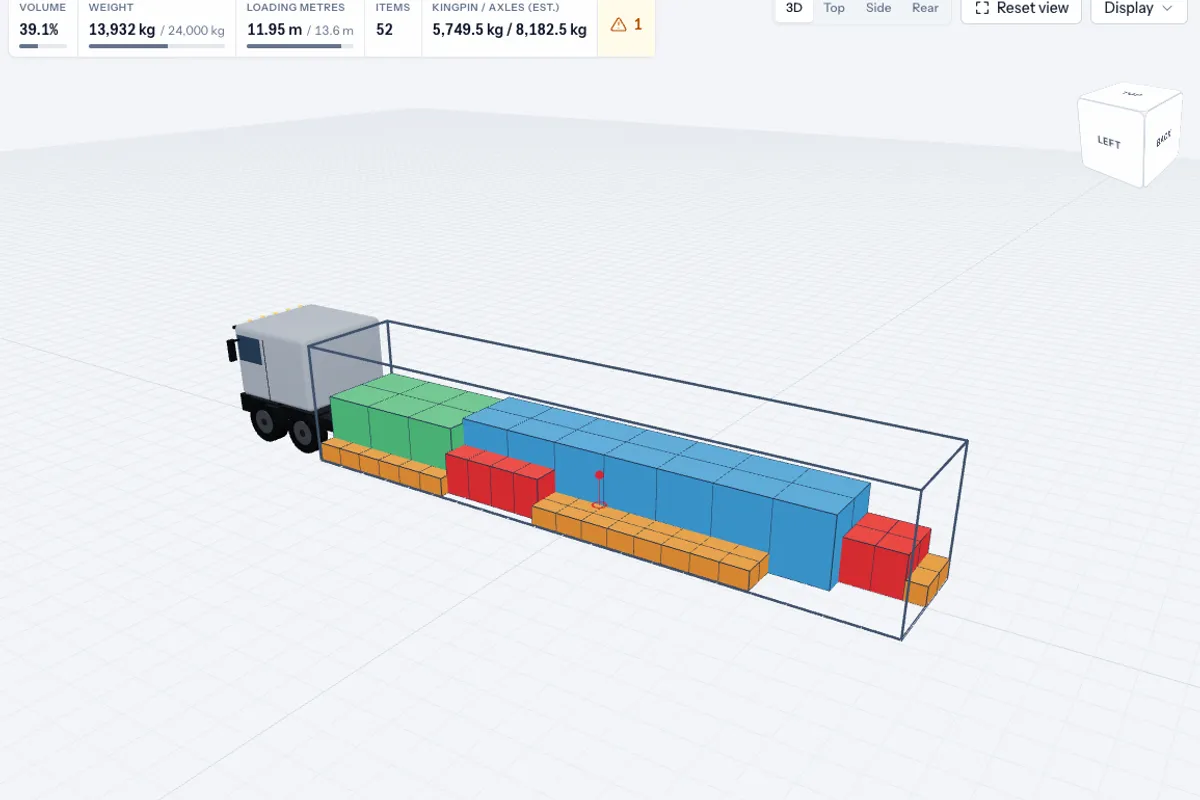
An optimized semitrailer load in 3D

Optimize

One click places every item within payload, stacking and rotation rules.

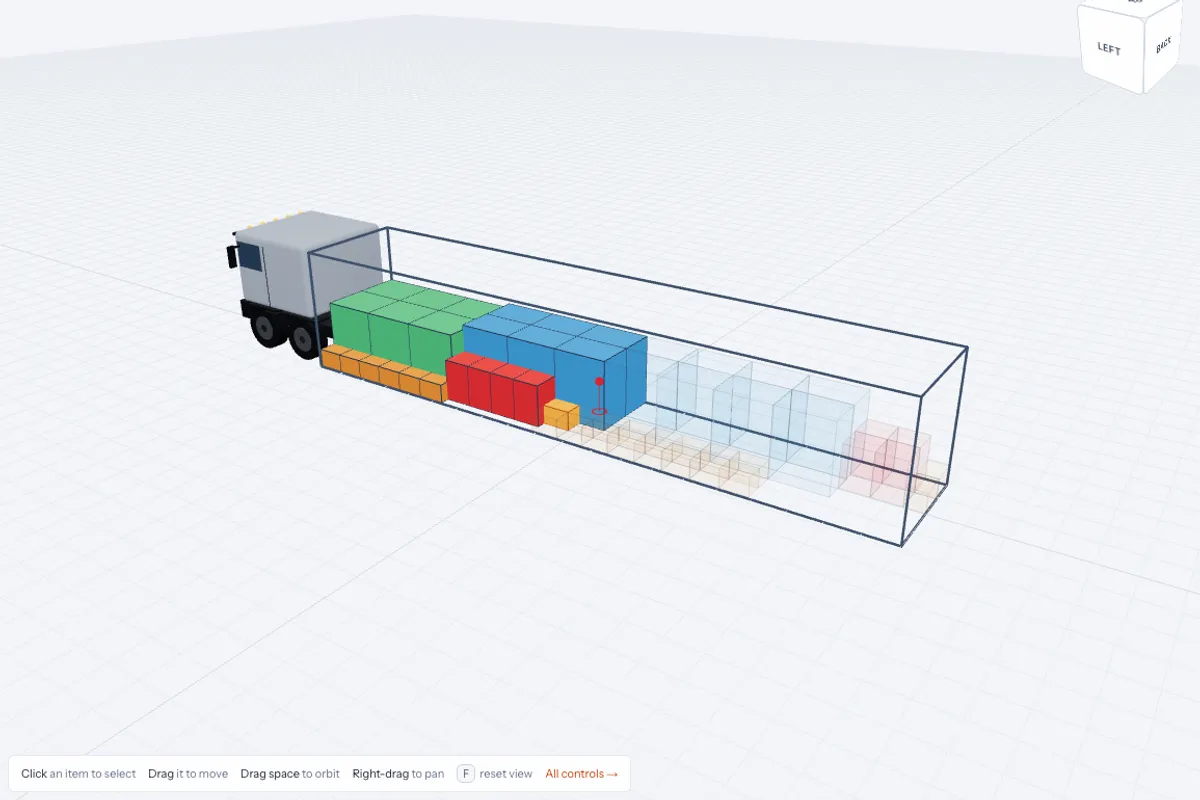
The loading-sequence slider halfway through a load

Loading sequence

Step through the plan in the order your crew loads it.

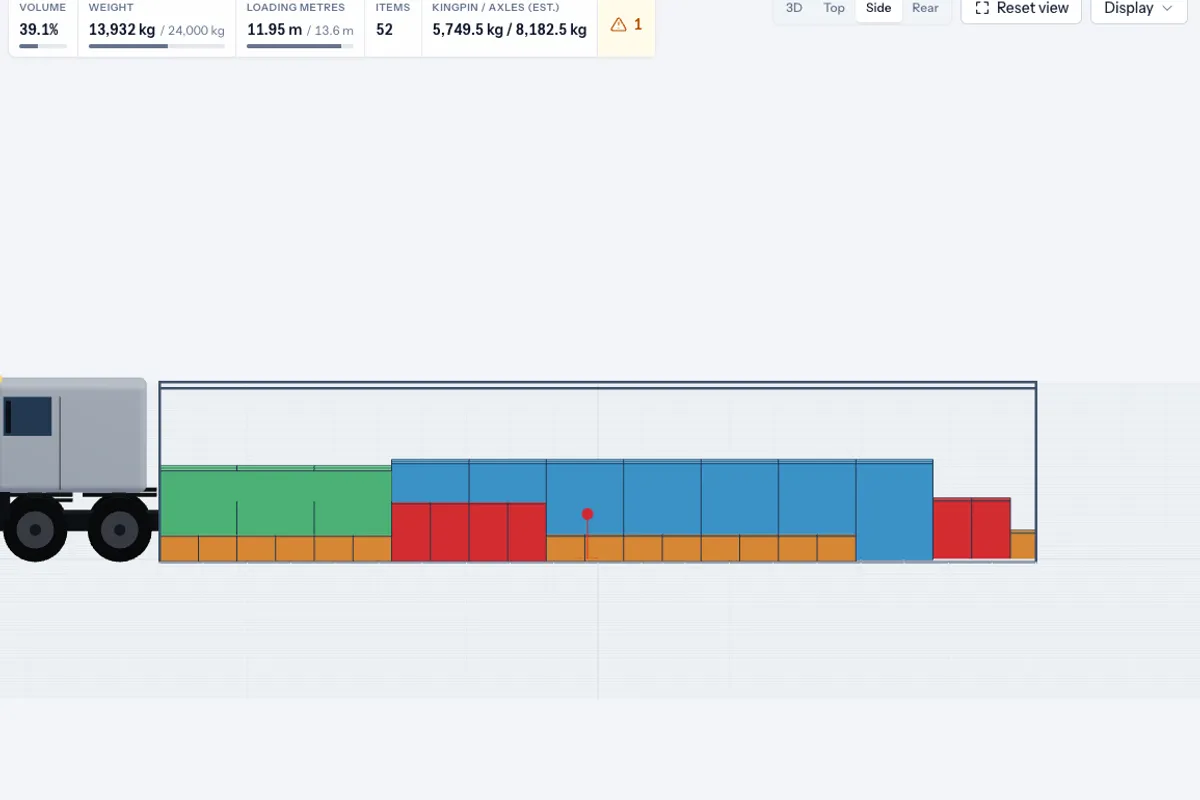
Axle-load estimate and centre-of-gravity marker

Axle loads

See the estimated load on the axles and the centre of gravity.

A load coloured by delivery stop

Multi-stop

Cargo for the first stop is loaded last, so it comes off first.

A PDF load plan with top and side views

Share & PDF

Send a read-only link or a PDF with the sequence and drawings.

Cargo rows pasted from a spreadsheet

Excel paste

Paste rows from Excel or Google Sheets; columns and units are recognised.

See it in 3D

A short tour: sign in, open the planner and load your first truck.

Your browser cannot play this video.

Cargo list

  • Euro pallet · 14
  • Industrial pallet · 6
  • Carton box · 24

Volume · Weight · Items

86%18 400 kg50

Axle loads (est.)

Front
Rear

PDFLoad plan PDF

Loading sequence and drawings

Share link

Read-only link copied

Rules you can trust

Stacking rules

Mark items as not stackable, or limit the weight that may go on top of them.

Rotation rules

Keep items upright, allow turning on the floor, or let the optimizer try every orientation.

Weight and payload limits

The plan never goes over the payload of the vehicle or container you chose.

Axle loads and centre of gravity

An estimate of how the weight splits between the axles, before the truck leaves.

Delivery stops order

Later stops go deeper; nothing for a later stop blocks an earlier delivery.

Loading direction

Load from the back doors or from the side, and the plan fills the space to match.

Bring your own data

  1. 01

    Paste from Excel or Google Sheets

    Copy the rows of your packing list and paste them into the cargo table. Headers and units such as mm or kg are detected.

    ItemLWHQtyEuro pallet1208014014Industrial pallet1201001106Carton box60404024
  2. 02

    Import files from other planners

    Import CSV and XLSX files, including the templates exported by other load-planning tools, without retyping anything.

    packing-list.xlsxload.csv
  3. 03

    Connect through the API

    Send cargo from your own system to the EveryLoading API and get the plan back as data.

    See integrations
    POST /api/v1/optimize
    { "container": { … },
      "items": [ … ] }

From packing list to loaded truck with the plan on paper

The same three steps for every load, whoever is planning today.

Create free accountOpen the planner
  1. Packing list
  2. Optimize
  3. Check the 3D plan
    • PDF for the warehouse
    • Link for the driver

Planners get more done

Road transport

A full trailer and three drops

A dispatcher pastes the order list, sets the stop for each customer and sends the driver a link with the unloading order.

See use case

Sea freight

One container or two?

An export team checks the shipment against a 40-foot high cube before booking, then hands the stuffing plan to the warehouse.

See use case

Air cargo

Cartons into an LD3

An air cargo agent checks that the cartons fit the contour and the weight limit before the freight is delivered.

See use case

Built for serious freight work

A planning tool you can put in front of your team and your customers.

Your plans, your data

  • Payments handled by Stripe
  • Your plans are never sold or used to train AI
  • Privacy policy written for the GDPR
  • Your plans stay yours: export or delete them any time
  • Desktop version coming soon
26

loading spaces built in

8

languages

6

orientations tried per item when rotation is allowed

Plan every load in 3D

Create free accountOpen the plannerContact sales
EveryLoading

Online load planning for trucks, sea containers and air cargo. Works in your browser, nothing to install.

Company

Wolfiz LimitedOffice 5118, 321–323 High RoadChadwell Heath, Essex, RM6 6AXUnited Kingdomsales@everyloading.com+44 7308 515752

Product

  • Try Planner
  • Free tools
  • Loading meter calculator
  • User manual
  • FAQ
  • Integrations
  • Developer API
  • Comparison

Use cases

  • Road transport
  • Sea freight
  • Air cargo
  • Manufacturing
  • Palletizing
  • Retail and distribution

Legal

  • Privacy Policy
  • Terms of Service
  • Sitemap
© 2026 Copyrights reserved by Wolfiz LTD.