Create your free account and open the planner
Sign up with Google or email and plan your first load straight away.
EveryLoading runs in the browser. There is nothing to install and no card is needed to start.
- 1Go to everyloading.com and click Create free account.
- 2Click Continue with Google and pick your Google account, or fill in your email and a password on the Create account tab.
- 3You land in the planner and can start planning right away.
What the free account includes
Cargo
- Free account
- Up to 5 pieces in total
- Pro
- No limit
Loading space
- Free account
- Trucks and trailers
- Pro
- Also sea containers, air ULDs and pallets, and custom inside dimensions
Optimize
- Free account
- Yes, within the limits
- Pro
- Yes, including Use more trucks if it doesn't fit
Save, PDF, share, import
- Free account
- No
- Pro
- Yes
| Free account | Pro | |
|---|---|---|
| Cargo | Up to 5 pieces in total | No limit |
| Loading space | Trucks and trailers | Also sea containers, air ULDs and pallets, and custom inside dimensions |
| Optimize | Yes, within the limits | Yes, including Use more trucks if it doesn't fit |
| Save, PDF, share, import | No | Yes |
A locked feature shows a lock or a Pro badge. Clicking it opens the plans. You can also upgrade any time from the Upgrade button in the top bar or Plans & billing in your account menu. See Plans, subscription and billing.
Your first plan in a minute
The first time you open the planner you see a short welcome card. Click Try a sample shipment to load a real example (pallets, cartons and drums in a semitrailer), or Start with my own cargo to begin with an empty plan.
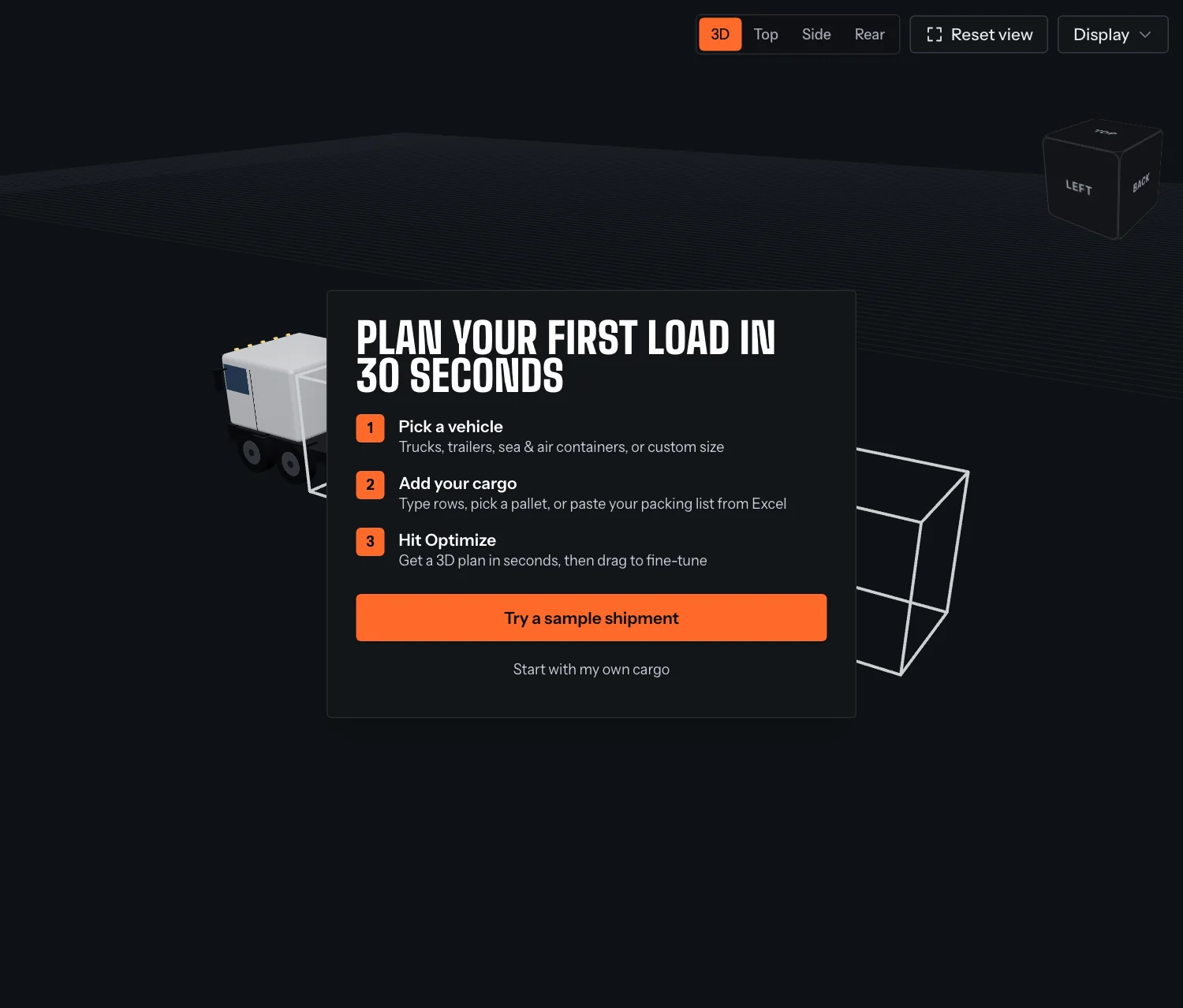
Then work through three steps: pick a vehicle, add your cargo and optimize.
Something unclear or out of date? Tell us and we'll fix the page.